AnyTrans for Android for Mac7.2.0
Publisher Description
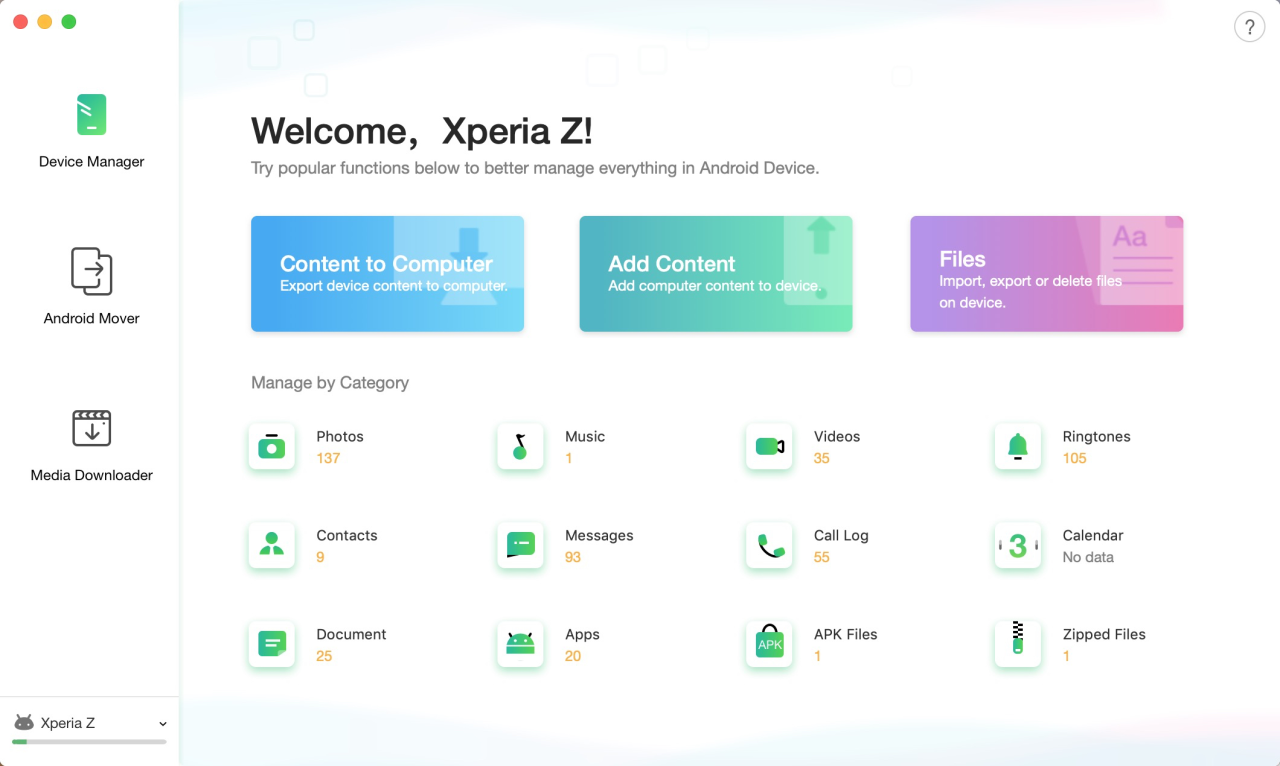
AnyTrans for Android is the best file manager for Android that covers all your Android phones/tablets and consolidates every access to all your Android content in one handy place, such as photos, messages, contacts, music, videos, apps, and more.
#1. Transfer data from Android to PC/Mac, or vice versa - covering photos, messages, videos, music, contacts, etc.
#2. Transfer data from Android to Android - including photos, messages contacts, music, videos, apps, and more.
#3. 1-Click transfer data from iPhone to Android - including photos, messages, videos, music, contacts, and more.
#4. Download favorite videos or music from 900+ video and music sites to your computer, or directly to your Android phone/tablet.
#5. Manage your personal info with 100% safe guaranteed - edit, add, delete or rename contacts, messages, call logs as you need.
#6. Hide your personal portraits, family photos, and travel memories, etc. to protect your privacy. And unhide any of them in seconds if needed.
#7. Full - way control all your apps on your Android phone/tablet - install, uninstall, transfer games, music apps and other apps by simple drag-and-drop.
About AnyTrans for Android for Mac
This File & Disk Management program is available in English, Arabic, ChineseSimplified, French, German, Japanese, Spanish. It was last updated on 29 September, 2026. AnyTrans for Android for Mac is compatible with the following operating systems: Mac.
The company that develops AnyTrans for Android for Mac is iMobie Inc.. The latest version released by its developer is 7.2.0.
The download we have available for AnyTrans for Android for Mac has a file size of 7.3 MB. Just click the green Download button above to start the downloading process. The program is listed on our website since 2019-08-07 and was downloaded 751 times. We have already checked if the download link is safe, however for your own protection we recommend that you scan the downloaded software with your antivirus. Your antivirus may detect the AnyTrans for Android for Mac as malware if the download link is broken.
How to install AnyTrans for Android for Mac on your Windows device:
- Click on the Download button on our website. This will start the download from the website of the developer.
- Once the AnyTrans for Android for Mac is downloaded click on it to start the setup process (assuming you are on a desktop computer).
- When the installation is finished you should be able to see and run the program.
Program Details
General
System requirements
Download information
Pricing
Version History
version 7.2.0
posted on 2019-08-07
1.Support the newest macOS 10.15 beta. 2.Support the latest iOS 13 beta. 3.Fixed some minor bugs.
version 7.0.0
posted on 2019-03-07
1.Wholly optimized and upgraded all interfaces to facilitate the use of AnyTrans. 2.Added the feature that migrates data from iCloud/iTunes backup directly to Android device. 3.Added the feature that manages Document, APK, and Zipped files. 4.Supported to mange files from SD card on Android device.
